About Instagram Grid Maker
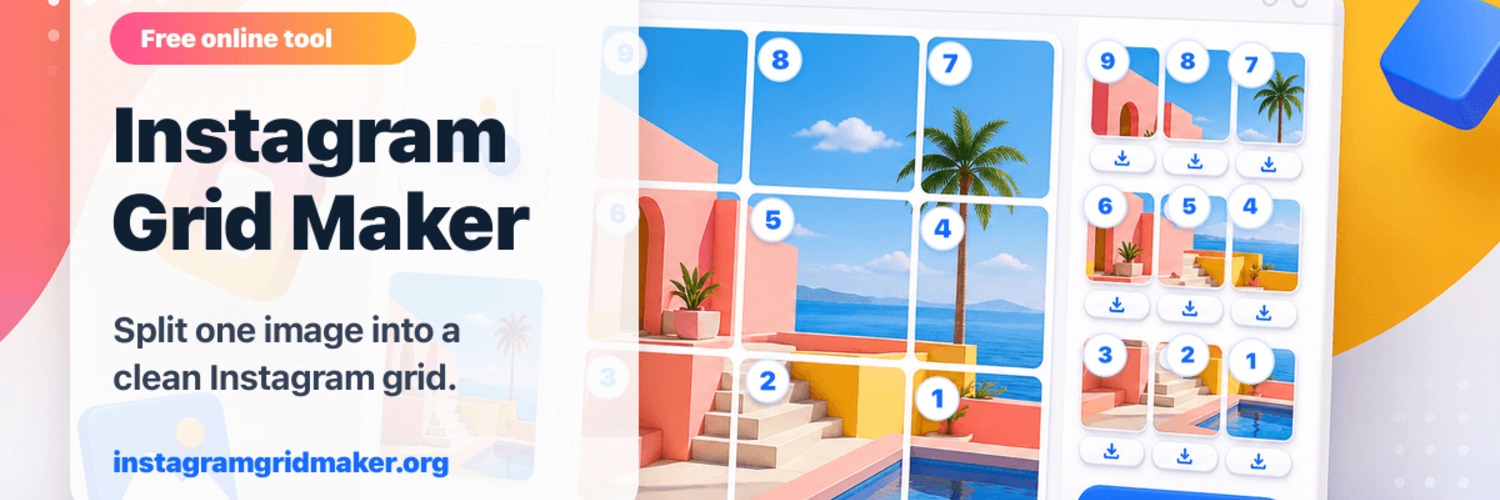
Instagram Grid Maker helps creators, brands, and social teams turn one finished image into Instagram-ready tiles. Users can upload a JPG, PNG, or WebP file, choose a profile grid, carousel slice, or custom row-and-column layout, adjust crop and zoom, check the numbered preview, and download individual PNG files or a ZIP. The core workflow runs in the browser with no sign-up, no watermark, and no app installation required.
Instagram Grid Maker is an online image tool for Instagram creators, brands, online shops, photographers, designers, and social media operators. Its core use is turning one large image, campaign poster, portfolio visual, product image, or Canva export into multiple Instagram-ready images that can be posted in the right order.
Users can upload a JPG, PNG, or WebP file in the browser and choose common three-column profile grids such as 3x1, 3x2, 3x3, and 3x4, or use carousel mode and custom row-and-column layouts. The tool shows a finished grid preview and numbered posting order so users can avoid publishing tiles in the wrong sequence. Exports are available as individual PNG files or a ZIP download.
Instagram Grid Maker also includes features for modern Instagram layout planning, including Safe 4:5 exports, Exact grid exports, crop zoom, margin guidance, size guides, Canva workflow notes, templates, and posting-order tutorials. The core splitting workflow uses browser canvas processing, making it useful for anyone who wants a fast, free, and privacy-focused way to create Instagram grids, image splits, carousel slices, and TikTok-style profile banners.
How we collaborate
Highlights
- Split one image into Instagram grid posts.
- Supports 3x1, 3x2, 3x3, 3x4, carousel, and custom layouts.
- Supports multilingual pages for English, Chinese, Portuguese, Spanish, and Japanese.
Reviews
Gallery

Location
Location shown on map (Sheridan, United States). Exact address is shared after you connect.
