
What Is Variable Data Printing Software and Why Do High-Volume Print Shops Swear By It?

PrintXpand · Pratik Shah
Sep 12, 2026 · 6 min read

A wrong field mapping in a 50,000-piece mail run doesn't produce one bad letter. It produces 50,000 identical mistakes, because the software does exactly what you told it to do, exactly that many times. That's the part most explainers of variable data printing skip past on their way to the pitch about personalization.
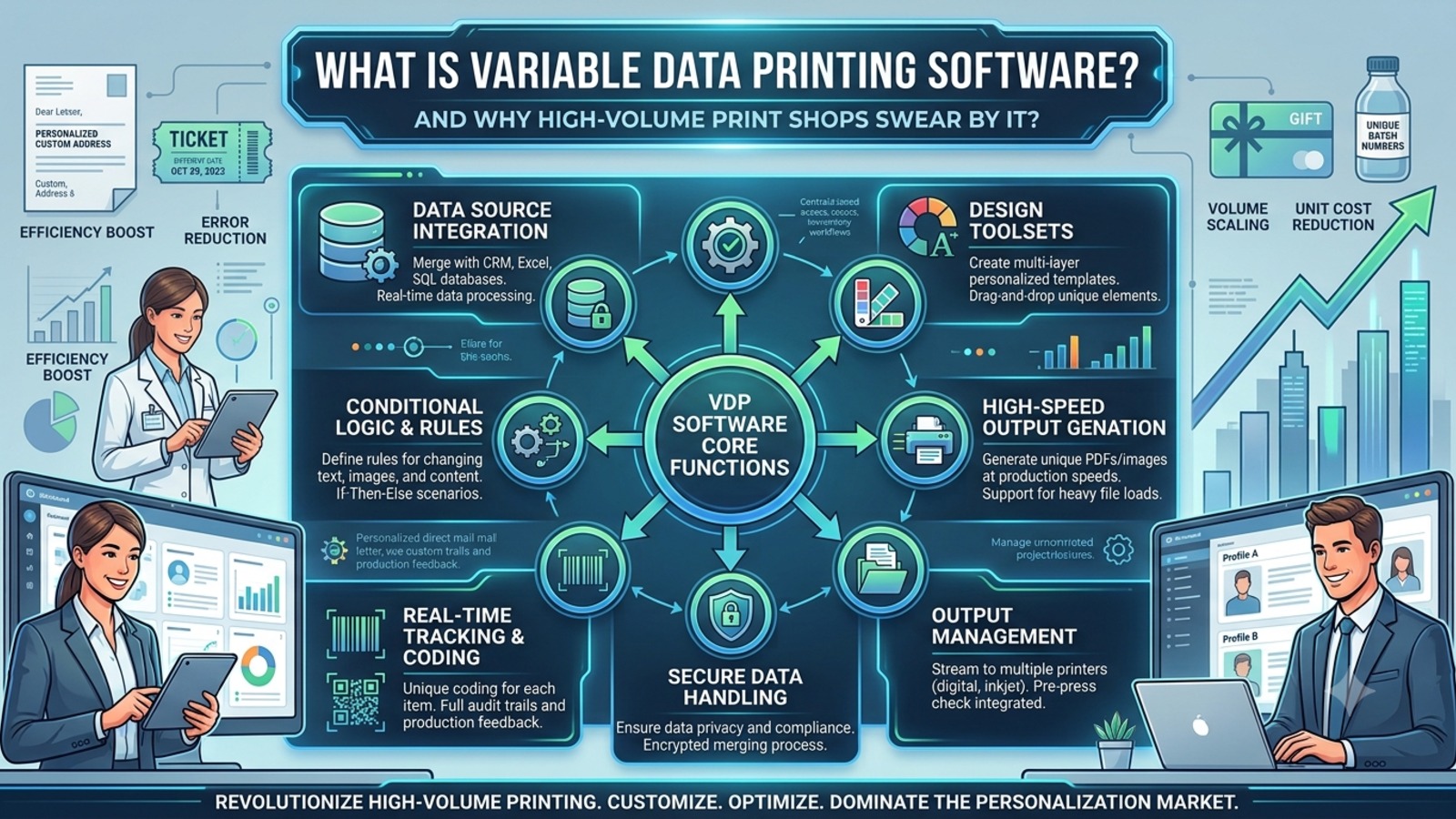
Strip away the marketing language and variable data printing (VDP) is a mechanical process with three parts. You start with a template: a postcard, an ID card, a mailer, whatever the piece is. You pair it with a set of records, usually a CSV file, sometimes pulled straight from a CRM or spreadsheet, that holds the information unique to each recipient: name, address, account number, a personalized offer code. If the piece needs unique images rather than just text, those come in as a batch of image files, often a ZIP archive, referenced by filename in the data.
The software maps each field in the data to a spot on the template, then renders the whole batch, one output per record. A name field becomes the greeting line on 40,000 postcards. An account number becomes the barcode on 40,000 statements. It's automated mail merge, scaled up and made visual.
None of that is new information if you've been in direct mail for more than a year. Most explainers stop right there, at "the software personalizes each piece automatically," as if that were the whole story and the reason shops rely on it. It isn't. Personalizing text and images at scale has been technically solved for two decades. What's less discussed is the step that actually determines whether that batch run goes well or turns into a very expensive lesson, and it's the reason high-volume shops trust the process at all.
Here's the part of the process that most "what is VDP" articles never mention: the full-batch preview.
Before a VDP job goes to press, the software renders every single record, not a sample of five or ten, and lets someone review the complete set. Not eyeball every piece individually at 40,000 records; nobody has time for that. But spot-check across the whole range and confirm the mapping held: first names that are actually first names and not truncated at nine characters, addresses that land in the address block instead of the greeting line, images that map to the right recipient instead of shifting by one row partway through the file.
Is that glamorous? No. Is it the reason high-volume shops trust the process enough to run tens of thousands of personalized pieces without someone standing over the machine? Yes.
Manual personalization, the mail-merge-by-hand approach where someone builds pieces one at a time or in small batches, doesn't have an equivalent safety net. A person doing this notices a mapping error the moment they see it, because they're looking at one piece at a time as they go. That's actually a strength at low volume. It falls apart completely once volume climbs past what one person can review piece by piece in a workday. At that point you're either trusting the process blind, or you're not running it at scale at all.
Picture the difference at two scales. A 20-piece mail merge for a small client meeting: if the mapping is wrong, whoever's building it sees the mistake by the third or fourth letter and fixes it before finishing the batch. Cheap error, caught almost immediately, no real damage done.
Now take that same wrong mapping and run it through a VDP job for 40,000 pieces with no batch preview step. Nobody catches it until the boxes come back from the printer, or worse, until a customer calls asking why their statement has someone else's account number on it. Same mistake. Forty thousand copies. The error didn't get bigger. The blast radius did.
This is really the whole case for why VDP earns trust at volume: not that it personalizes automatically- every tool claims that- but that it comes with a checkpoint built for the scale it operates at. A print shop running a few dozen personalized pieces a week doesn't need this. A shop running tens of thousands of ID cards, renewal notices, or name-and-number apparel orders a month cannot safely operate without something like it.
Here's the honest limit, and it matters more than most vendors want to admit: the batch preview catches mapping and template errors. It does not catch bad data.
If the source CSV has the wrong name in the right field, the wrong apartment number, or a customer matched to the wrong account, the software renders every one of those mistakes perfectly and consistently across the entire batch. From the system's point of view, nothing went wrong. The field mapped correctly; the data itself was just wrong going in. A preview pass built to check "does this template map correctly across every record" isn't built to check "is this customer's name actually Chen and not Chan." Those are two different disciplines. Data hygiene and postal compliance (address validation, CASS, that whole layer) are their own workflow, worth a separate deep dive, and this isn't the place to duplicate that ground.
So the batch-preview step is a genuine safety net, not a complete one. It's the difference between catching a wiring problem and catching a bad component. Both matter. Only one of them is what the render pass is built to find.
Worth asking before you scale any VDP job past a few thousand pieces: has anyone actually verified the source data, or has everyone just assumed the software will catch it? It won't. That's not what it's for.
The mechanic shows up the same way whether the output is a postcard or something that has nothing to do with paper going through a printer. ID cards and smart cards personalize a name, photo, and ID number per record, often pulled straight from an HR or membership database. Name-and-number team apparel runs the same logic against a roster instead of a mailing list, mapping player names and numbers onto a jersey template across an entire order. Renewal mailers and statements do the same thing at the largest scale most shops will ever run: tens of thousands of records where a one-row shift in the mapping means thousands of pieces with the wrong name next to the wrong balance.
Event badges and registration cards sit somewhere in between. A conference with 3,000 attendees isn't huge by direct mail standards, but it's well past what anyone should be building by hand, and a name-badge mapping error doesn't just look sloppy. It hands a stranger someone else's credential at check-in. Different industry, same underlying risk: a template error that's cheap to catch in a preview and expensive to catch on-site.
This won't apply the same way to every shop. A print business running a handful of personalized jobs a month can probably get away with lighter checks, and building a full VDP workflow for that volume is arguably overkill. The math changes once a single job routinely runs into the thousands.
In our experience working with print businesses running these jobs, the shops that treat the preview pass as a formality are the ones who eventually get burned by it once. The shops that swear by VDP are usually the ones who got burned early, adopted the full-batch review as a non-negotiable step, and never skipped it again. Platforms like PrintXpand's Variable Data Printing software build that review into the workflow itself: a CSV of records and a batch of image assets map onto a template, and every record renders for review before the job clears for production, rather than leaving that check as a manual habit someone has to remember to do.
Ask a shop that runs high volume why they trust variable data printing, and you'll rarely hear "because it personalizes each piece." That part they take for granted now; it's table stakes, not a selling point anymore. What they'll actually tell you is that it's the only version of mail-merge-style personalization that comes with a checkpoint sized for the volume it's meant to run at.
That checkpoint won't fix bad source data. It won't replace someone actually checking that the list is clean before the job starts. What it will do is catch the kind of mapping and template error that turns into thousands of wasted physical prints instead of one caught mistake, and at high volume, that's the difference between a job that ships and a callback nobody wants to make.
Pratik Shah is Creative Head at PrintXpand, a cloud and on-premises print and personalization platform serving 350+ print businesses across 40+ countries. He works with commercial printers, direct mailers, and apparel decorators on the personalization and production workflows behind high-volume, data-driven print runs. Learn more at printxpand.com.
Sign in to respond and applaud.
No responses yet. Be the first.