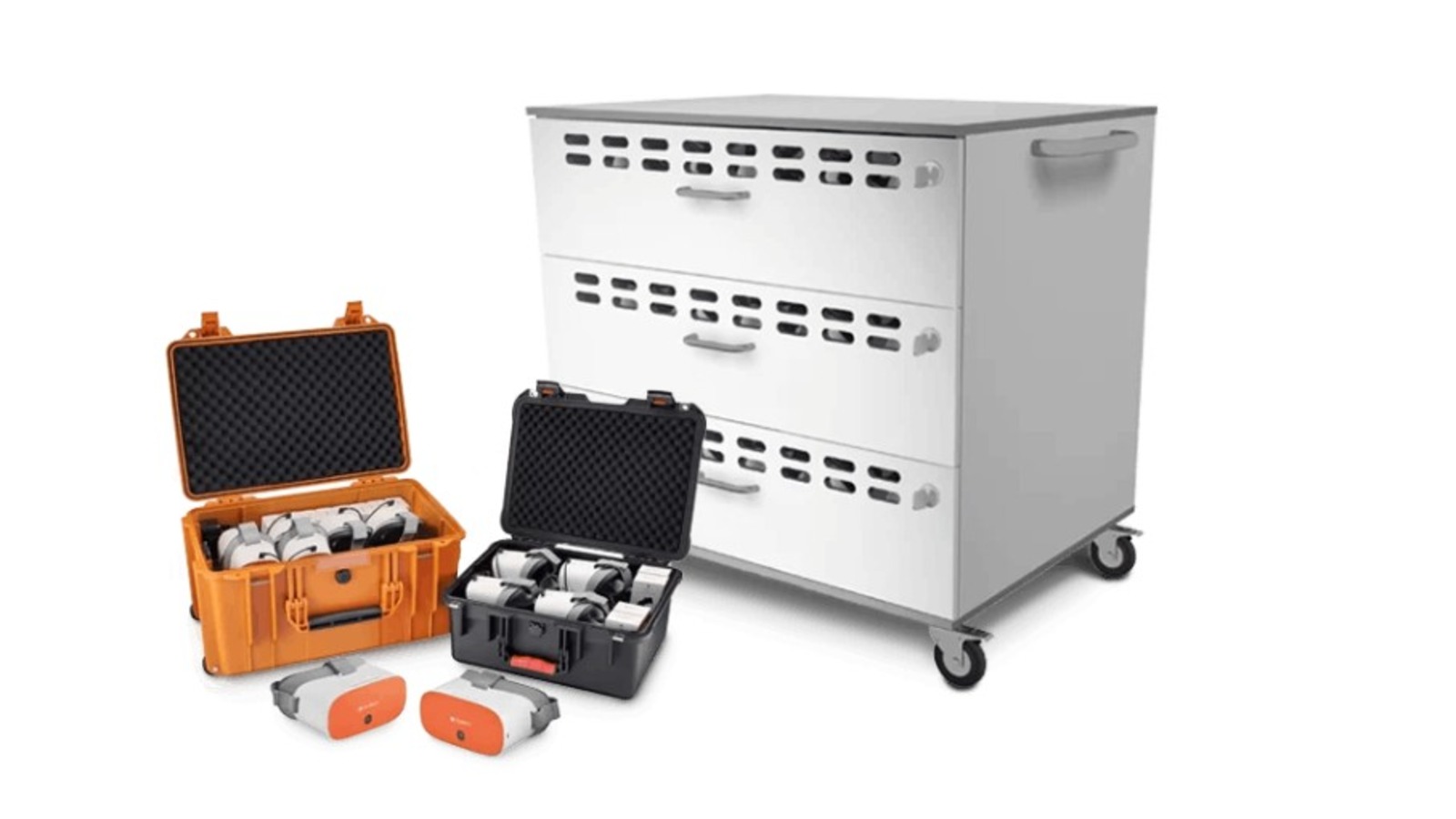
Technology has become an important part of modern education. From digital language lessons and listening activities to online assessments and interactive learning, headsets help students engage with educational content more effectively. However, managing multiple headsets in a busy classroom can quickly become a challenge.
Teachers may spend valuable lesson time searching for missing headsets, dealing with damaged cables, or discovering that devices are not charged when students need them. Headsets can also get mixed up between classrooms, misplaced after activities, or damaged because of improper storage.
These problems may seem small, but they can interrupt lessons, increase replacement costs, and create unnecessary work for teachers and school staff.
A more organised approach to classroom headset management can make a significant difference. Portable, ruggedised storage and charging cases offer a practical way to keep headsets protected, organised, and ready for everyday educational use.
Why Classroom Headset Management Can Be Difficult
Schools often use multiple headsets across different classrooms, computer labs, libraries, and learning spaces. When several students share the same equipment, keeping everything organised requires a consistent system.
Here are some common challenges schools face.
1. Headsets Getting Lost or Mixed Up
When students return headsets to different locations or leave them on desks, it becomes difficult to track every device. Similar-looking headsets can easily get mixed up, while some may disappear between lessons.
Without a designated storage location, teachers may have to spend time collecting and counting equipment instead of preparing for the next activity.
2. Physical Damage from Everyday Use
Classroom headsets are handled by different students throughout the day. They may be placed carelessly in drawers, packed into bags, or left on desks where they can fall or become tangled with other equipment.
Repeated handling can damage ear cushions, cables, connectors, and other components. In busy learning environments, ordinary storage may not provide enough protection against accidental knocks, pressure, or rough handling.
3. Devices Running Out of Battery
Some classroom headsets and related audio devices require regular charging. If charging is handled individually, staff may find it difficult to remember which devices need power and which are ready for use.
An uncharged device can disrupt a planned lesson, particularly when students need headsets for listening exercises, digital examinations, or multimedia activities.
4. Wasted Classroom Time
Even a few minutes spent distributing equipment, untangling cables, finding missing devices, or checking battery levels can interrupt a lesson.
When these problems occur repeatedly, teachers lose time that could otherwise be spent explaining concepts, supporting students, and reviewing learning activities.
A Smarter Solution: Combine Storage, Protection, and Charging
One effective way to improve headset management is to create a central storage and charging system. Instead of keeping devices in separate drawers or on open shelves, schools can use a dedicated case designed to store and transport multiple headsets.
Depending on the model, these cases may offer organised compartments, protective construction, integrated charging facilities, and convenient portability.
The main advantage is that storage and charging become part of the same routine. After a lesson, headsets can be returned to their designated positions, connected for charging where supported, and stored safely until the next session.
This simple change can help schools maintain better control over their equipment.
Key Features to Consider in Classroom Headset Storage and Charging Cases
Not every storage case is suitable for an educational environment. Schools should consider their daily requirements, the number of devices they use, and how frequently equipment moves between locations.
1. Ruggedised Construction for Better Protection
A ruggedised case is designed to withstand the demands of regular handling and transport. Its protective exterior can help reduce the risk of damage from everyday knocks, bumps, and accidental impacts.
This is particularly useful in schools where equipment is shared among different age groups or moved between classrooms.
When comparing options, look for durable materials, secure closures, reinforced corners where available, and an interior that helps prevent headsets from shifting during transport.
It is important to remember that ruggedised construction does not make a case indestructible. The level of protection depends on its design and the manufacturer's specifications.
2. Organised Compartments for Easy Access
A well-designed case should make it easy to place and retrieve headsets without creating clutter.
Individual compartments or designated positions can help prevent devices from becoming tangled or pressed against one another. They can also make it easier for staff to identify missing equipment during a quick inventory check.
Schools can improve this system further by assigning numbers or labels to individual headsets. This makes it easier to track equipment and identify damaged or missing devices.
3. Integrated Charging Facilities
Charging is an important consideration when headsets or associated devices use rechargeable batteries.
A case with integrated charging facilities can help centralise this process, allowing compatible devices to be charged while stored. This reduces the need to collect devices from different locations and connect them individually.
Before choosing a charging case, check compatibility with the specific headset models being used. Confirm the supported charging connections, power requirements, cable arrangement, and any capacity limitations.
Not every headset supports charging, and not every storage case includes built-in charging. Schools should select a solution that matches their equipment rather than assuming that all devices can be charged in the same way.
4. Portability Between Classrooms
In many schools, headsets are shared across computer laboratories, language rooms, libraries, and general classrooms. Moving devices individually can be inconvenient and increases the chances of misplacing them.
A portable case allows staff to transport multiple headsets together. Features such as secure handles, manageable dimensions, and a suitable carrying design can make daily movement easier.
For schools with limited storage space, portability can also help staff store equipment in a central location when it is not in use.
5. Easy Cleaning and Maintenance
Shared classroom equipment requires regular cleaning, especially when several students use the same headsets.
A case with an accessible interior and clearly organised storage spaces can make routine maintenance easier. Schools should follow the cleaning instructions for both the case and the headsets, using only materials and products approved for the equipment.
Regular inspection is equally important. Staff should check cables, connectors, ear cushions, and charging connections for visible damage before returning devices to storage.
How Better Headset Management Supports Learning
Organised equipment management is not simply about keeping a classroom tidy. It can also support smoother teaching and more reliable access to digital learning resources.
Faster lesson preparation: When headsets are stored in a consistent location, teachers can distribute them more quickly and begin activities on time.
Fewer equipment-related interruptions: A routine for checking device condition and battery levels can help staff identify problems before lessons begin.
Improved equipment lifespan: Protective storage can reduce exposure to avoidable physical damage. Proper handling and maintenance may help schools get more use from their existing equipment.
Better accountability: Numbered storage positions and regular inventory checks make it easier to identify missing devices and understand where problems occur.
More efficient shared use: A central storage system can help different classes access the same equipment without relying on informal handovers.
Although a charging case cannot prevent every equipment problem, it can support a more consistent and manageable process.
How to Build an Effective Classroom Headset Management Routine
The right equipment works best when it is supported by clear procedures. Schools can introduce a straightforward routine without adding unnecessary administrative work.
Step 1: Count and Label the Headsets
Start by recording how many headsets are available. Assign a number or label to each device so that staff can identify individual units.
If the school uses multiple classrooms, consider assigning equipment to specific rooms or learning groups.
Step 2: Establish a Dedicated Storage Location
Choose a secure and accessible location for the storage case. Make sure staff and students know where equipment belongs after use.
If headsets are shared between rooms, decide who is responsible for returning the case and checking its contents.
Step 3: Create a Return-and-Check Routine
At the end of each activity, students should return headsets to their assigned positions. A teacher or designated staff member can quickly check whether all devices have been returned and whether any appear damaged.
This small habit helps prevent missing equipment from becoming a recurring problem.
Step 4: Check Charging Requirements
For rechargeable devices, establish a charging schedule that fits the school timetable. Staff should confirm that compatible devices are connected correctly and have sufficient charge before planned activities.
Where the case supports charging, follow its operating instructions and avoid overloading power connections or using incompatible cables and adapters.
Step 5: Inspect and Maintain Equipment Regularly
Schedule periodic checks for physical damage, loose connections, worn ear cushions, and other signs of wear.
Devices that appear damaged should be set aside for inspection rather than returned immediately to classroom use. Keep a simple record of repairs and replacements to help identify recurring issues.
Step 6: Teach Students to Handle Equipment Responsibly
Students should understand how to put on, remove, carry, and store headsets correctly. Clear instructions can reduce avoidable damage and encourage shared responsibility for classroom technology.
Younger students may benefit from visual labels or simple reminders placed near the storage area.
Choosing the Right Solution for Your School
Before investing in a storage and charging case, schools should assess their actual requirements.
Consider the following questions:
Capacity: How many headsets need to be stored together?
Compatibility: Does the case accommodate the dimensions and design of the existing headsets?
Charging: Do the devices need charging, and does the case support their charging requirements?
Durability: Is the construction appropriate for frequent classroom use and transportation?
Portability: Will staff regularly move the equipment between rooms or buildings?
Storage space: Can the case fit securely in the available cupboard, classroom, or equipment area?
Maintenance: Is the interior easy to access, inspect, and clean?
Safety: Are the charging arrangements and power accessories suitable for the intended environment?
Schools should also consider future requirements. If more students will use digital learning tools in the coming years, selecting a solution with appropriate capacity may help avoid unnecessary equipment changes later.
The goal is not simply to buy a larger case. It is to find a practical solution that fits the school's existing devices, teaching routines, and storage arrangements.
Common Mistakes to Avoid
Even with a dedicated case, a few habits can undermine effective equipment management.
Overpacking headsets: Placing too many devices in a case can lead to tangled cables or pressure on delicate components.
Ignoring compatibility: A charging connection that does not match the headset can make the charging process ineffective or unsuitable.
Skipping inventory checks: Organised storage is helpful, but missing equipment can still go unnoticed without a basic return procedure.
Storing damp or dirty equipment: Headsets should be cleaned according to their instructions and allowed to dry as recommended before storage.
Overlooking damaged cables: Frayed cables, loose connectors, and damaged charging accessories should be inspected and addressed promptly.
Assuming all cases provide the same protection: Schools should review the actual construction, capacity, charging features, and handling requirements before making a decision.
Avoiding these mistakes helps ensure that the storage system remains useful over time.
Conclusion
Lost, damaged, and uncharged headsets can create unnecessary interruptions in modern classrooms. While these issues are common in environments where equipment is shared, they can often be managed through better organisation and consistent routines.
Portable, ruggedised storage and charging cases provide a practical way to bring headset protection, equipment organisation, and charging management together where the selected model supports these functions.
By combining suitable storage with clear labelling, regular inspections, responsible handling, and a consistent charging routine, schools can make classroom technology easier to manage and more readily available for learning activities.
Ultimately, effective headset management allows teachers to spend less time dealing with equipment problems and more time focusing on what matters most: helping students learn.